
Governance
Configure fix approvals, protected paths, and account settings in one place.
Research
A dev-server breadcrumb fix in esbuild illustrates the difference between text escaping, attribute encoding, and URL validation.
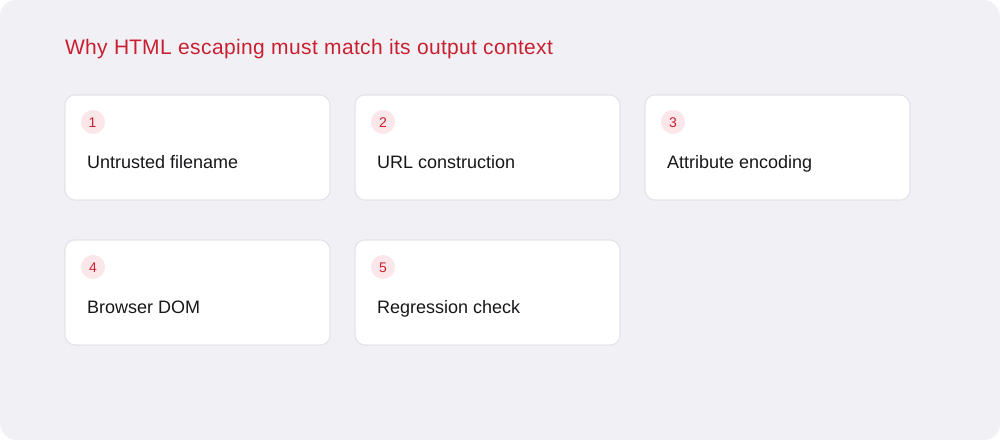
An HTML page is not a single string context. Text between elements, quoted attributes, script content, and URLs inside attributes are parsed according to different rules. A helper that safely displays a filename as text may still be unsuitable when the same value becomes part of a link attribute.
An upstream esbuild change, pull request 4316, fixes this distinction in development-server directory breadcrumbs. The code used an HTML-text escaping helper when constructing a quoted href. The repair switches that position to an attribute-escaping helper. The useful lesson is the boundary mismatch, not a download-count claim or an assumption that every use of the tool is exposed.
During review, record where each untrusted value is inserted after all intermediate transformations. A path may be split into segments, joined into a breadcrumb, URL-encoded, and then embedded in HTML. Each transformation has a purpose, but none should be assumed to make the result safe for every later parser.
For link attributes, distinguish encoding the URL's data from preventing HTML attribute termination. Also validate the intended URL scheme and destination when callers can influence them. Correct quote encoding does not by itself make an arbitrary navigation target trustworthy; these are separate checks with different acceptance criteria.
Prefer structured element construction or templating interfaces that escape values for their actual position. Avoid hand-built markup when a value can remain an ordinary text node or a separately assigned attribute. Where raw HTML is required, make the permitted context explicit in the helper name and its tests.
Do not apply a sanitizer indiscriminately to an entire response as a substitute for local output handling. A global transformation can miss the relevant parser state, corrupt valid content, or create double encoding. Review the point where data gains syntactic meaning, particularly in error pages and developer tooling that receive less attention than production templates.
A useful regression test checks that unusual filenames remain a single displayed label and a single intended link. Cover quotes, angle brackets, ampersands, Unicode, and path separators using harmless test values. Assert the resulting DOM properties or rendered structure rather than comparing only a raw response substring.
Include normal directory navigation so the repair preserves expected behavior. Test nested paths because breadcrumb generation often handles parent segments differently from the final label. A unit test for an escaping helper is useful, but an integration test catches the mistake of using the correct helper in one position and the wrong helper in another.
Development tools may process downloaded repositories, generated assets, and files supplied by other contributors. Their local or temporary status does not make all input trusted. Restrict unnecessary network exposure and avoid using a development server as a general public file host, while still fixing unsafe output generation at its source.
When assessing a deployment, identify whether directory listing is enabled and which actors can influence the served filenames. Check the upstream fix against the installed revision rather than guessing from an unrelated package's version. The OWASP XSS prevention guidance reinforces the central rule: encoding and validation need to match the context in which data is ultimately interpreted.
Configure fix approvals, protected paths, and account settings in one place.

Review findings and fix activity in one place, with finding exports available.

Review recorded scan activity and finding state changes.

Account membership controls access to connected repositories and findings.

Bring your own encryption key. Your data stays encrypted with keys you control.